
Your AI Budget Cheat Sheet
Nearby rents, concessions, occupancy and fees from any saved market survey, in one short report you can print or save for budget season.




What's Inside
Budget planning means knowing what the market is doing around your property. This report lays it out from the comps already in your market survey.
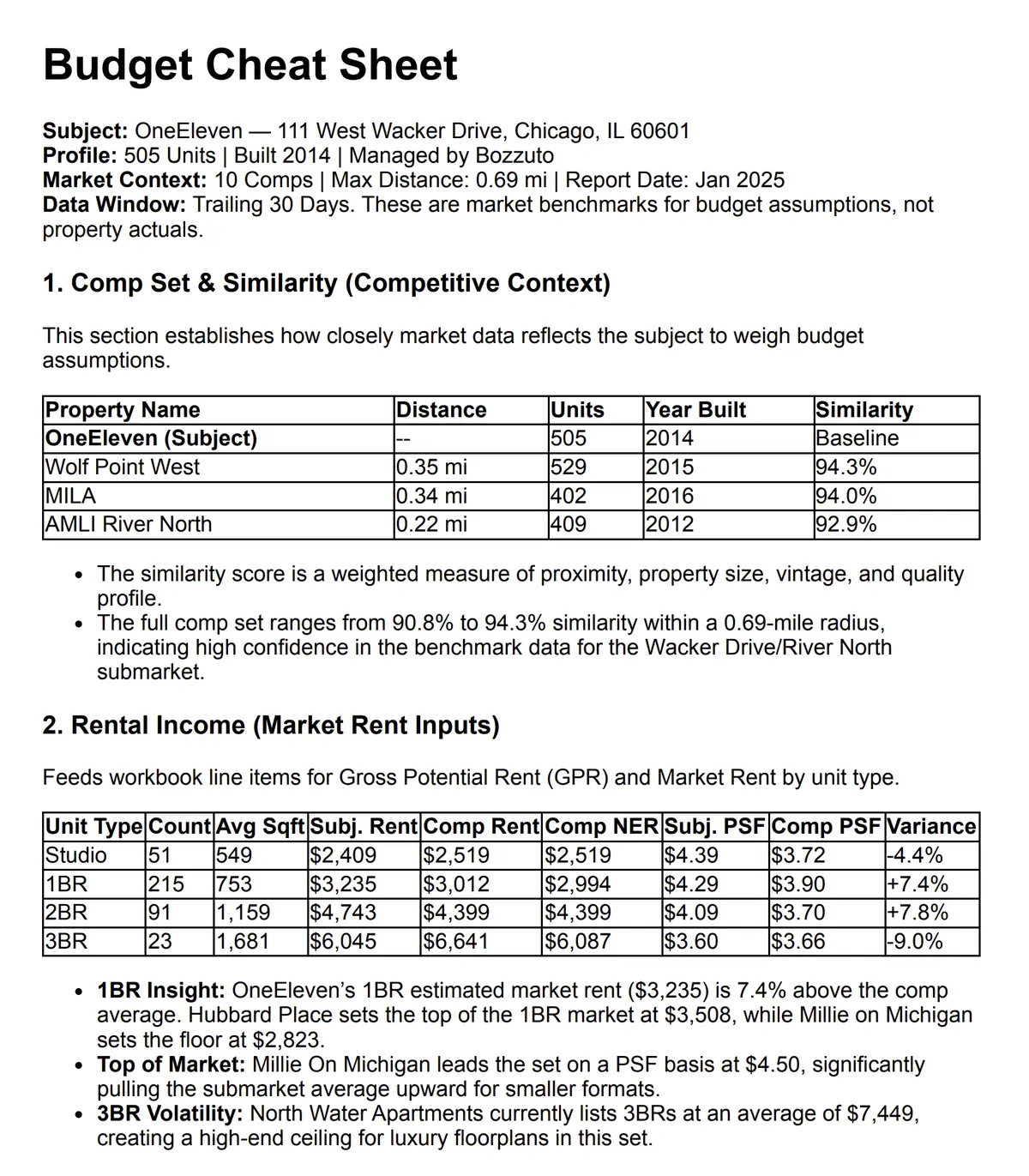
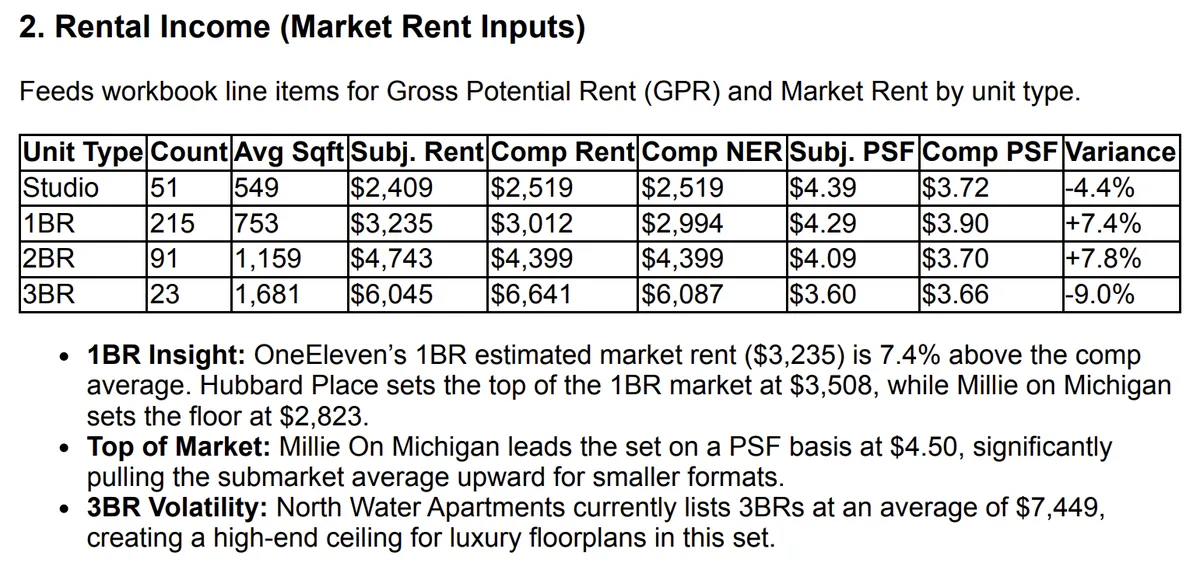
Rents and concessions. Each comp's asking and effective rent by unit type, and who's offering a concession right now.
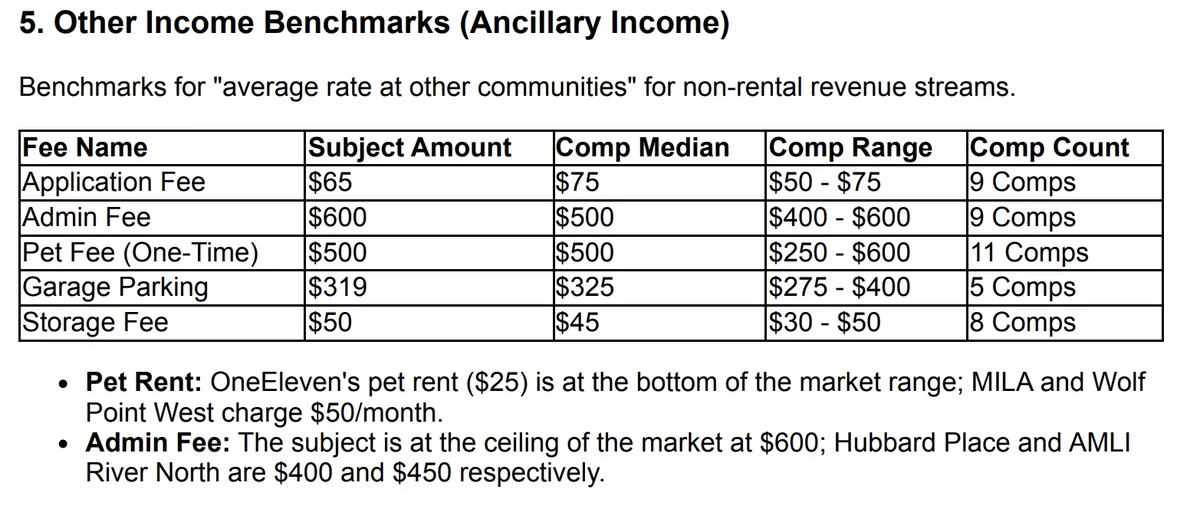
Occupancy and fees. How full each comp is, and what they charge for applications, pets and parking.
Quality and amenities. Your quality score next to the comp average, and the amenities nearby properties have that yours doesn't.
How It Works
There's nothing to configure. Any HelloData user can open a market survey, pick the template and have a finished report to print or save a moment later.
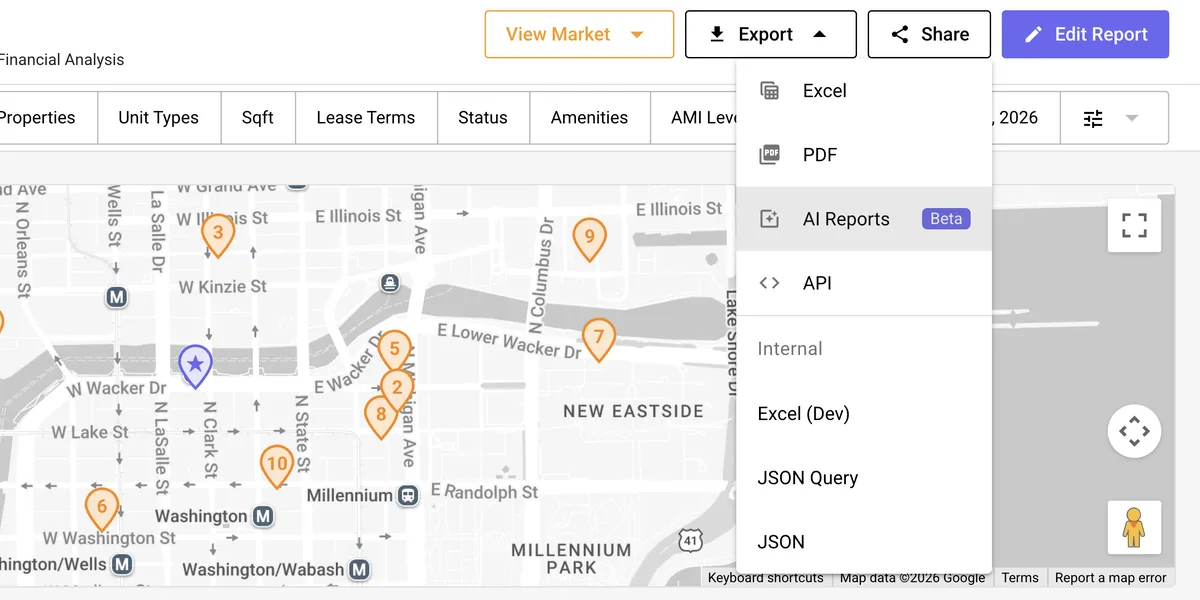
1.Open the Export menu.
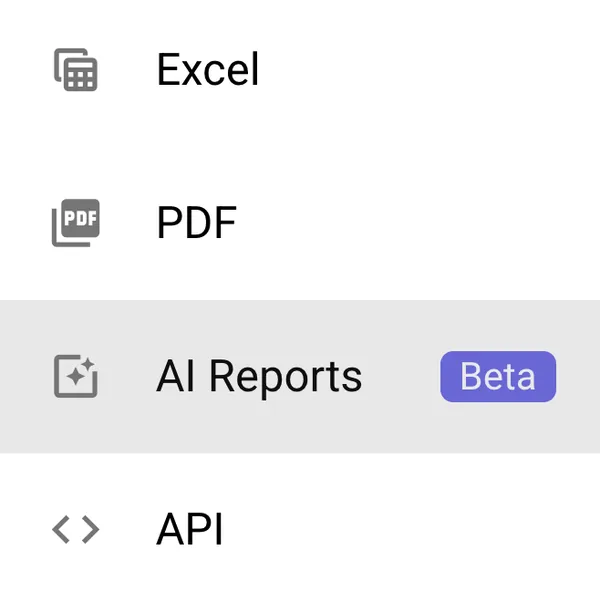
AI Reports sits in the Export menu at the top right of every saved market survey.
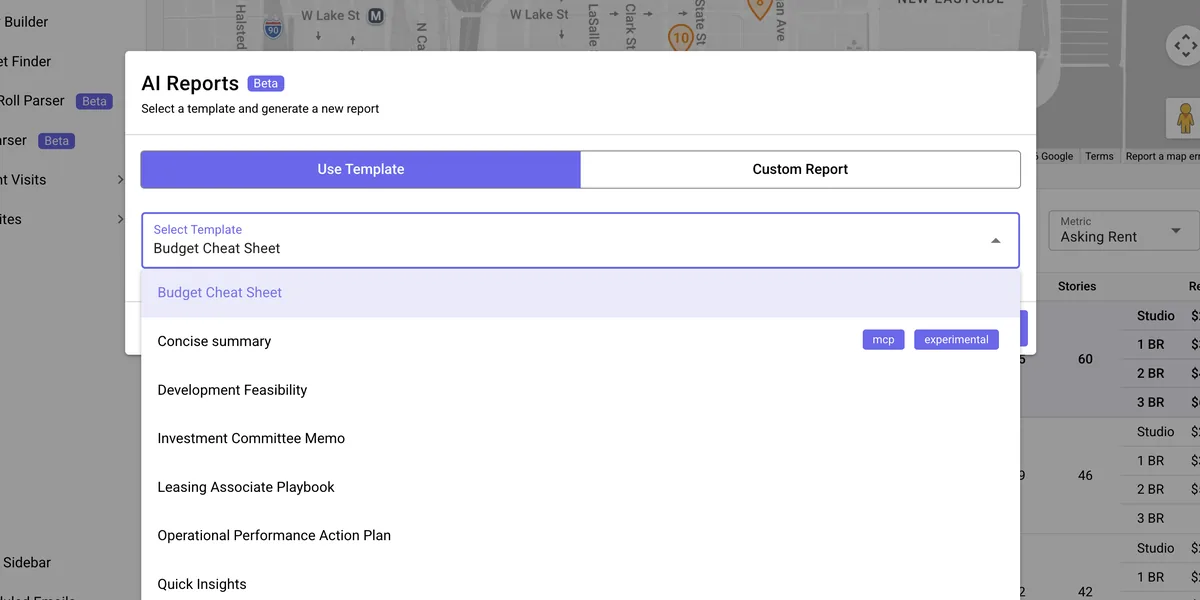
2.Pick the template.
Budget Cheat Sheet is first in the template list, and the report builds from the comps already in the survey.
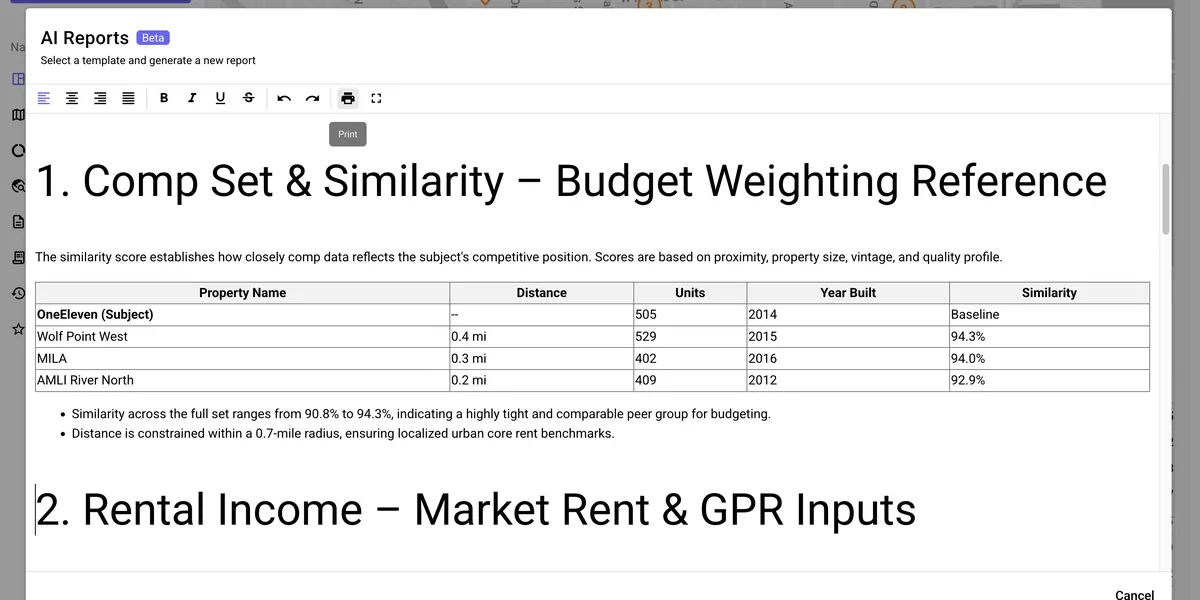
3.Check it and print.
The finished report opens in the AI Reports window, where it can be edited before it goes to print.
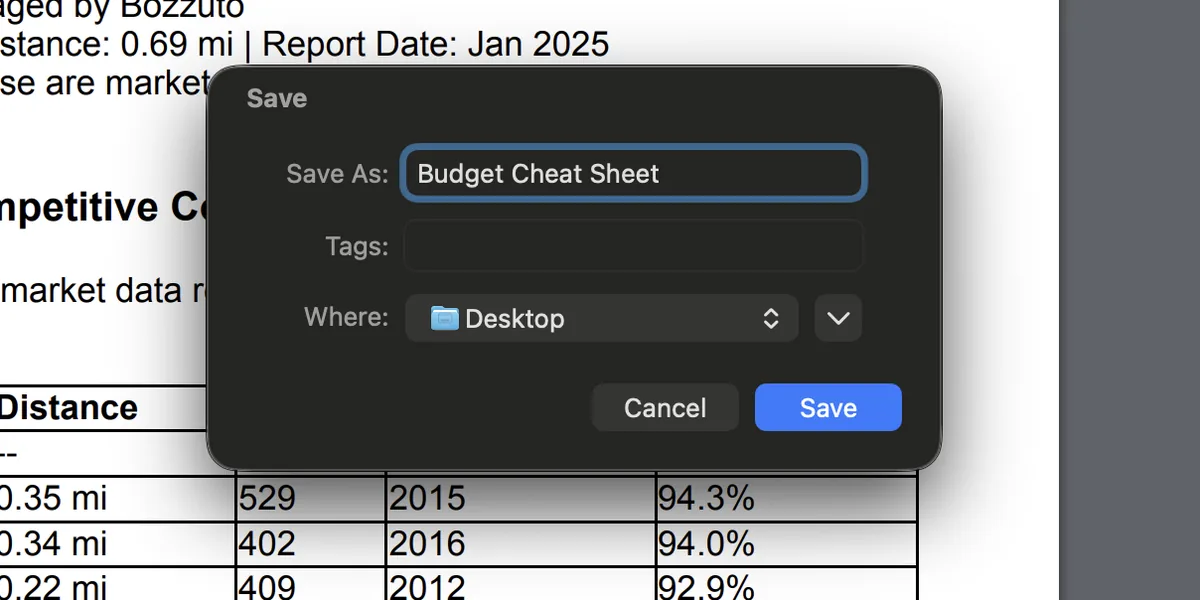
4.Save it as a PDF.
The print dialog saves it as a PDF, ready for budget planning or to share with the team.
Seven Sections Built for Budget Season
Every export follows the same seven sections, so the numbers for each part of your budget are always in the same place.
| Section | What you'll see | Where it fits in your budget |
|---|---|---|
| Comp set | Your closest comps, ranked by how similar they are to your property. | Benchmark confidence |
| Rental income | Asking and effective rents by unit type, side by side with your market rent. | Gross potential rent |
| Concessions | Which comps are offering concessions, how deep they go and who's holding firm. | Concessions |
| Occupancy and velocity | Leased percentage, exposure and days on market across your comp set. | Vacancy loss, target occupancy |
| Other income | Application, admin, parking and storage fees, with the comp median and range. | Ancillary income |
| Capital planning | Quality scores by category, plus the amenities your comps have and you don't. | Capital projects |
| Where to find more | The HelloData tab behind each section, for when you want the full detail. | Deeper research |